Feature · Tennis
Tennis Smash: a free Garmin scoreboard for tennis without an umpire
Most tennis is played without an umpire, which makes every player a part-time scorekeeper. Tennis Smash, the free tennis app from Dutch studio Multipassionate, hands that job to a Garmin watch.
By Multipassionate · 3 October 2026 · 11 min read
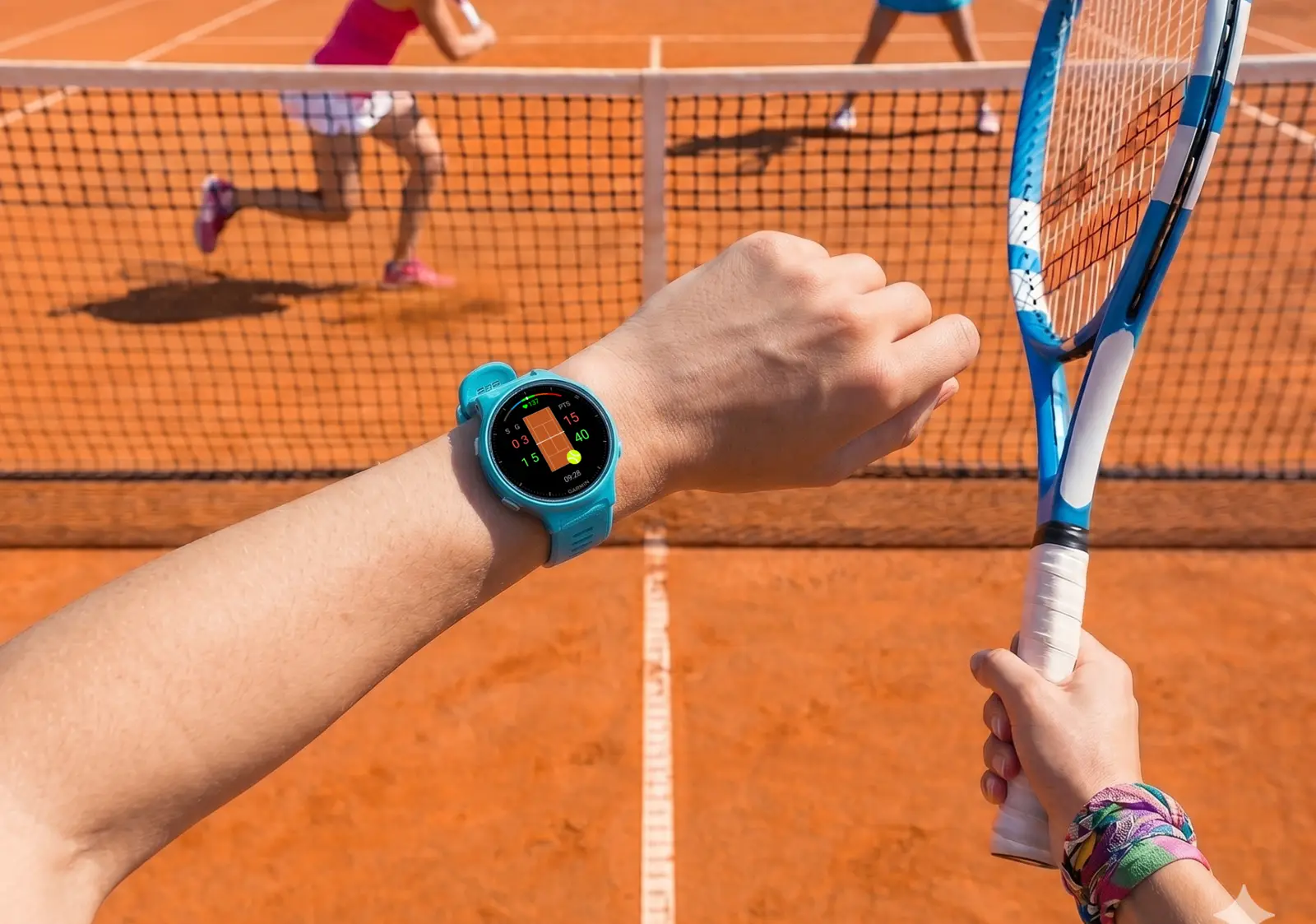
Watch any club match closely and you will see a small ritual before most points. The server pauses, looks across the net and says the score out loud. It is not only good manners. The Code, the USTA's guide for matches played without officials, asks the server to announce the game score before the first point of a game and the point score before every point after that. Most tennis is played on an honour system, and the score is the first thing that system has to get right.
It is also the first thing to go missing. After a long rally, a disputed line call or a set that has stretched past the hour, two players can sincerely remember different scores. Usually the disagreement ends politely with a replayed point. Sometimes it does not.
Tennis Smash takes the score out of the players' heads and puts it on a wrist. It is a free app for Garmin watches, made by Multipassionate, an independent studio in Utrecht, the Netherlands. It has passed a thousand downloads on Garmin's Connect IQ Store, where it held a 4.8 out of 5 rating from 36 reviews in October 2026.
What Tennis Smash does
Tennis Smash is a Connect IQ watch app that keeps the score of a tennis match point by point. The player presses one button after each point, Down when they win it and Up when the opponent does, and the watch does the rest: games, sets, tie-breaks, the deuce rule, who serves next and from which side. When the match ends, it is saved to Garmin Connect as a tennis activity with the score and serve statistics attached.
Three things define its scope:
- It is free. At the time of writing it costs nothing in the Connect IQ Store, with no account, sign-up or trial period.
- It runs on older watches. More than 100 Garmin models are supported, including several that have no Tennis activity of their own, such as the Forerunner 55 and 245, the vívoactive 4 and the original Venu and Venu Sq.
- It keeps score; it does not detect strokes. Every point is entered by a person.
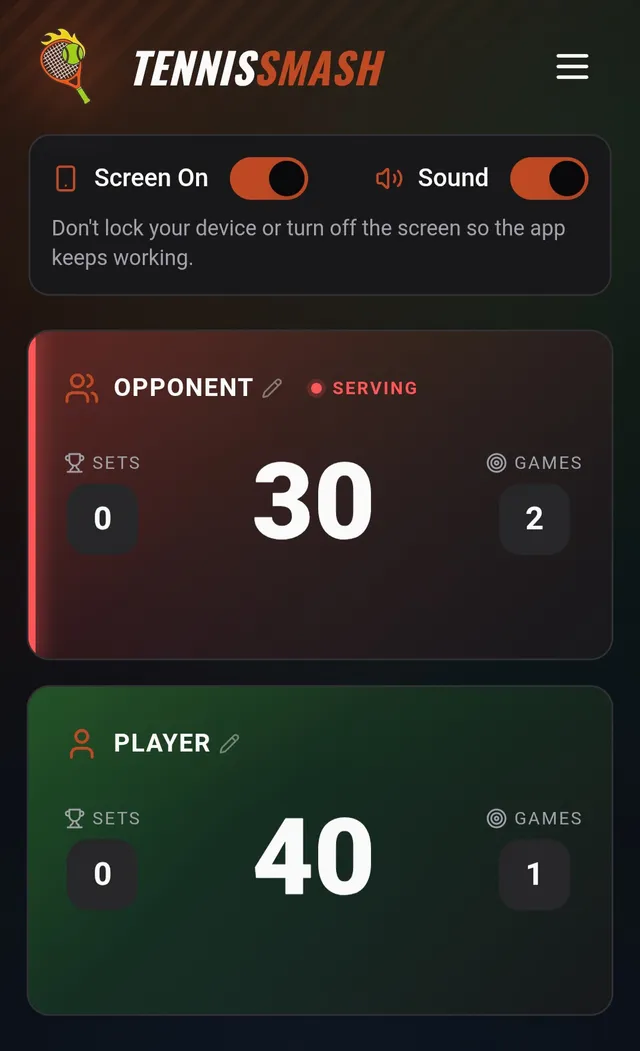
An optional live scoreboard at tennissmash.app lets anyone with a six-digit PIN follow the match on a phone, with each point read aloud.
Three answers to deuce
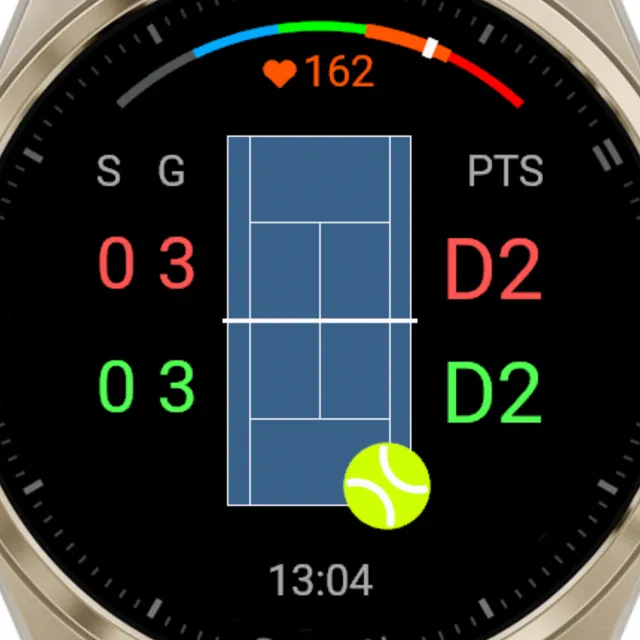
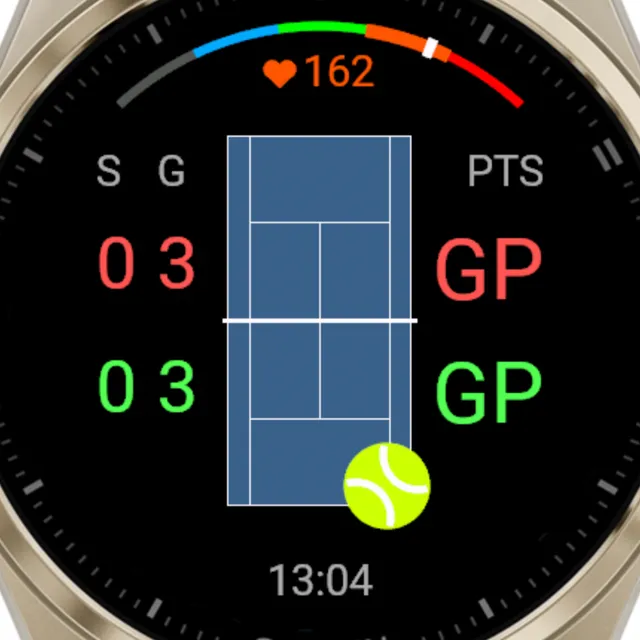
Tennis has one traditional answer to 40-40, advantage until a player wins two points in a row, and several modern alternatives. Tennis Smash ships three of them:
| Deuce rule | What happens at 40-40 | Where you meet it |
|---|---|---|
| Deuces | Advantage scoring until someone leads by two points | Most singles, from club matches to the Grand Slams |
| Golden Point (No-Ad) | One deciding point wins the game | Professional doubles, US college tennis, many club leagues |
| Star Point | Two rounds of advantage, then one deciding point | Borrowed from padel, whose federation adopted it for professional events in 2026 |
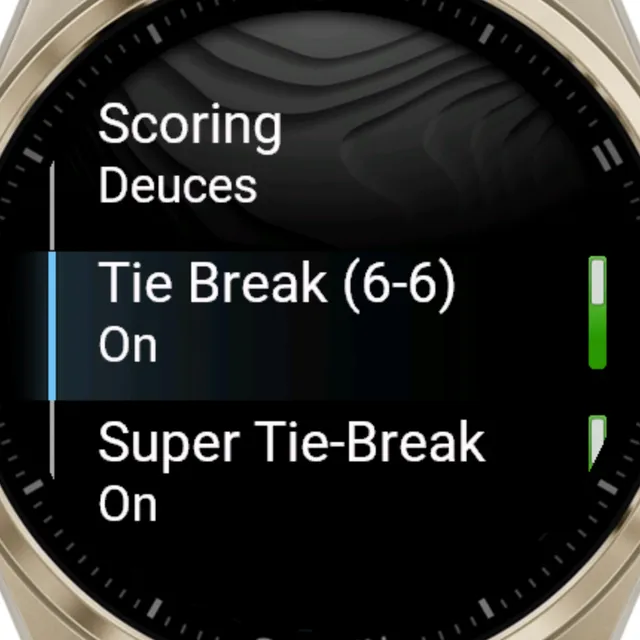
The rule lives in a Scoring menu and can be changed in the middle of a match, which matters more than it sounds. Club doubles often starts with advantages and switches to No-Ad when the court booking is running out, and the watch follows without anyone restarting anything.
Tie-breaks, and the serve order nobody remembers
The tie-break is the most technically demanding part of tennis scoring. The player whose turn it is serves the first point from the deuce court. After that, the serve alternates every two points, and each server starts their pair of points from the ad court. The players change ends after every six points, and the player who served first in the tie-break receives first in the next set. Few club players can recite all of that, and fewer can track it while also trying to win the points.
Tennis Smash handles it automatically, including:
- a 7-point tie-break at 6-6, which can be switched off for advantage sets,
- a 10-point Super Tie-Break in place of the deciding set, the format many leagues use to keep matches inside a court booking, and
- match lengths of best of three sets, best of five, or Unlimited for practice sessions where the sets simply keep coming.
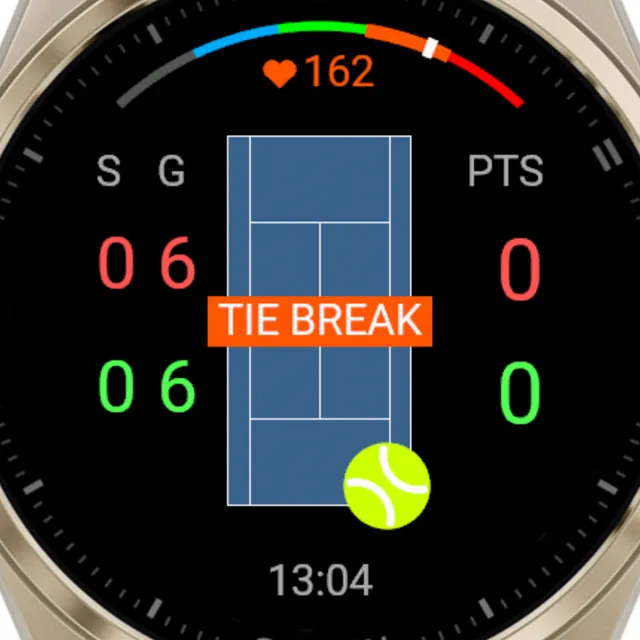
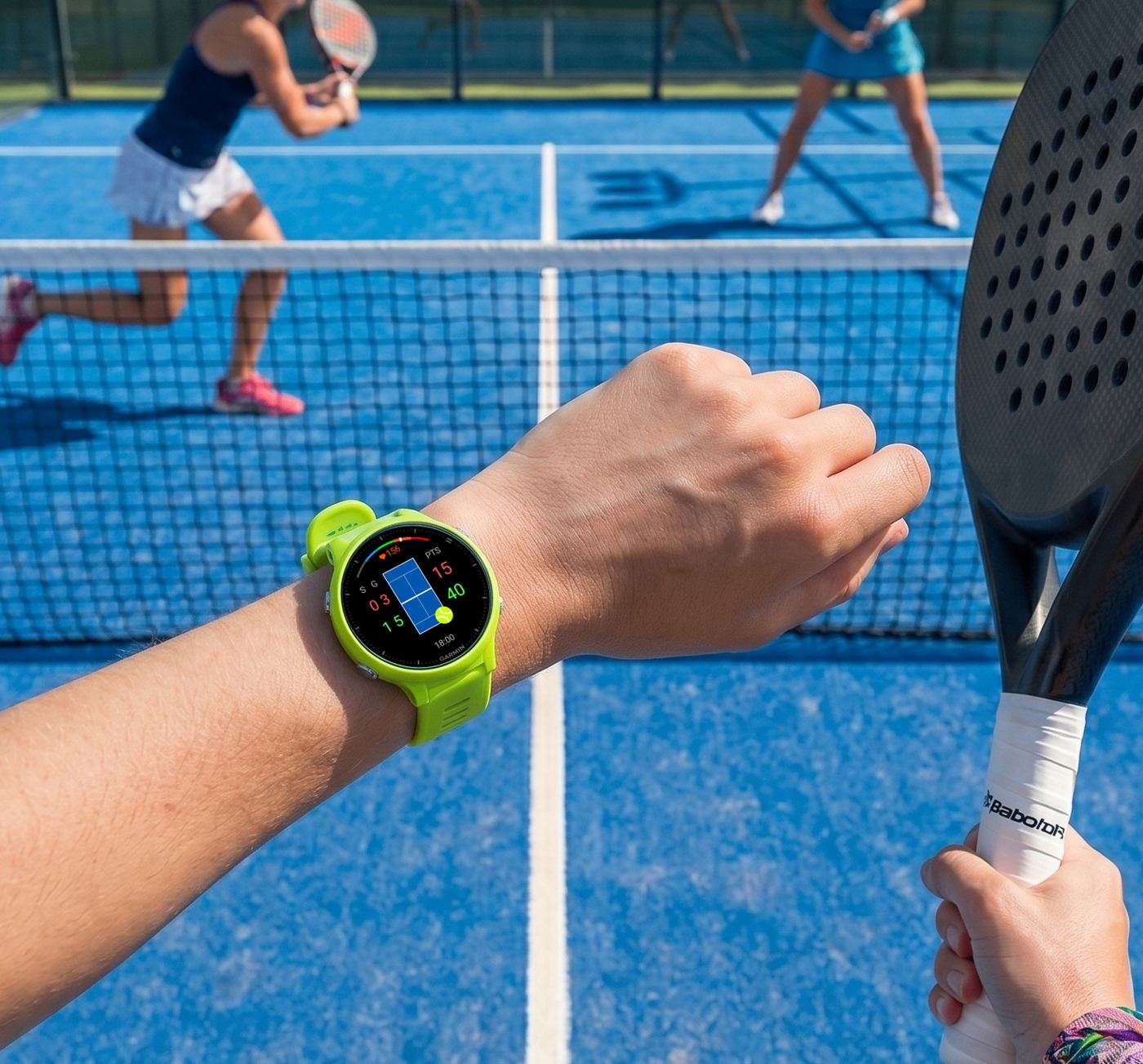
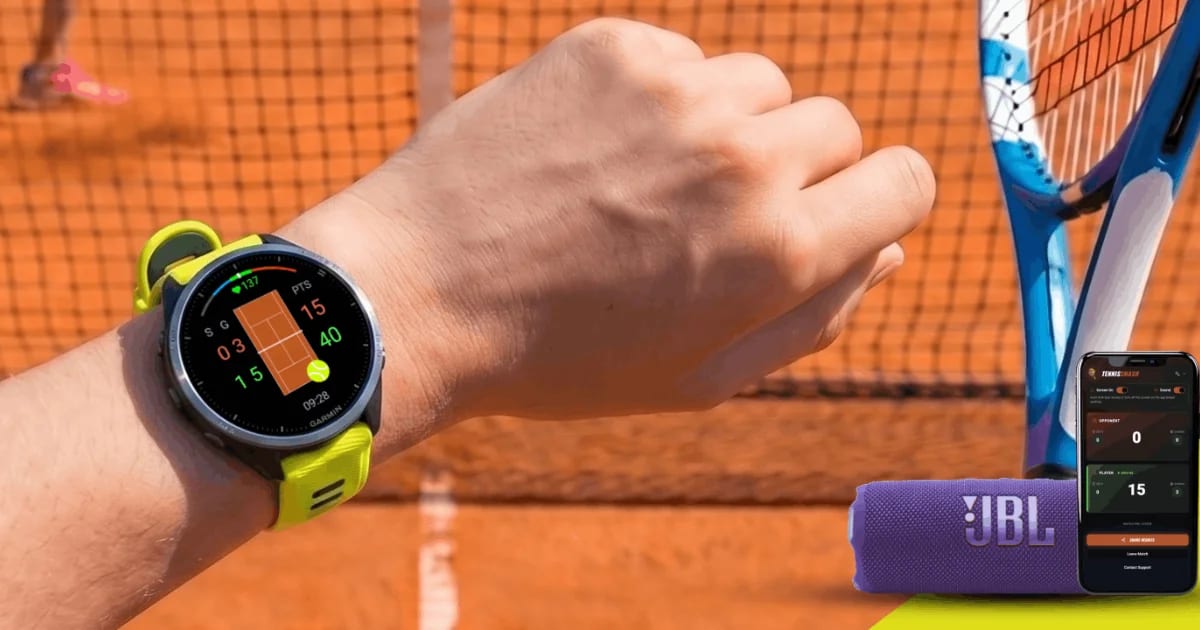
A mini court on the watch shows who is serving and from which side. The logic behind it is simple once written down: when an even number of points has been played in the game, the server stands in the deuce court, and when the number is odd, in the ad court. The point of the mini court is that nobody has to count.
A press, a tap or a swipe
| Action | Buttons | Touchscreen |
|---|---|---|
| Point for you | Down | Tap the lower half, or swipe up |
| Point for the opponent | Up | Tap the upper half, or swipe down |
| Undo the last point | Back | Swipe right |
| Open the menu | Start | Swipe left, or press and hold |
Undo goes back 15 points, statistics included. Holding Up changes the server at any time, which fixes the common mistake of starting a match with the wrong player serving. Touch can be switched off on the match screen to avoid accidental taps during fast rallies, while menus still respond to it. And if the app closes during a match, the next launch offers to continue it; at worst, the points of the game in progress are lost.
The court on the screen can be recoloured from Classic Blue to Clay Red or Grass Green, and a heart-rate gauge coloured by training zone wraps around the edge. Small touches, but on a watch you glance at between points, the right surface colour makes the screen read as a court in a fraction of a second.
What ends up in Garmin Connect
A finished match becomes a Tennis activity in Garmin Connect on watches that support the sport type. On older watches without a Tennis type it arrives as a generic activity with the same score and statistics, and the activity type can be changed to Tennis in Garmin Connect afterwards.
Each activity carries:
- the winner and every set score,
- the share of points won on serve and on return,
- one lap per set, with points won serving and returning, and
- heart rate and time, from the wrist sensor or a paired chest strap.
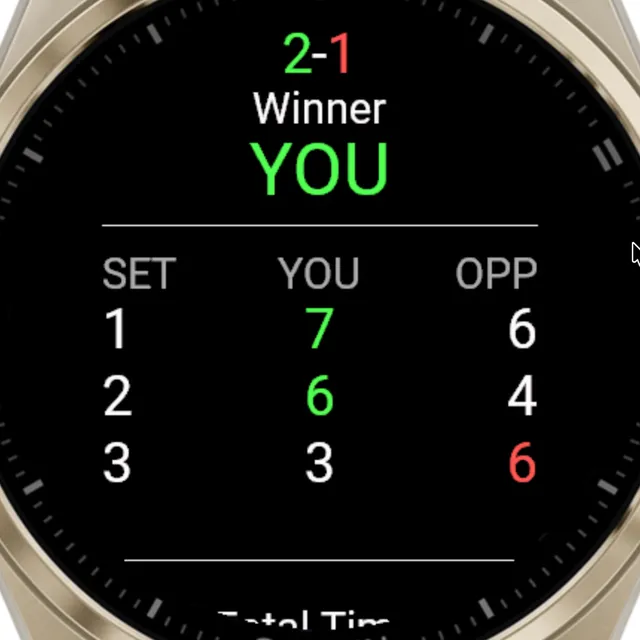
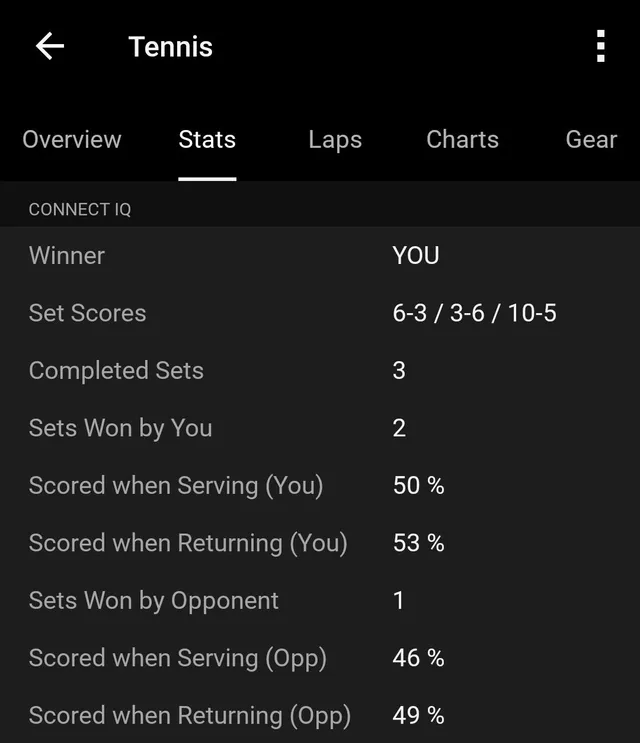
The serve and return percentages are the two numbers that explain most tennis results. Because a player serves roughly half the points in a match, adding them gives a quick read: a total above 100 usually means more points won than lost. Followed set by set, they show where a match turned. A player whose service percentage holds steady while the return percentage collapses in the third set has a different problem from one whose own serve fell apart.
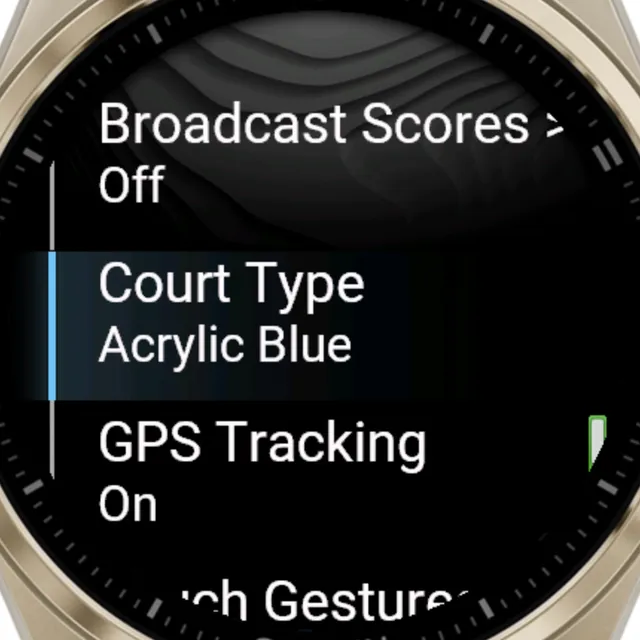
GPS tracking is a setting of its own. It is on by default, but a wrist GPS position can wander by several metres, which on a tennis court is roughly the distance a player covers between shots. The distance it records is therefore rough at best, and Tennis Smash's own help centre suggests switching GPS off unless the location or a map of the session is wanted. Switching it off also saves battery during long matches. The research behind that advice is in the guide GPS on or off for tennis.
The match, for everyone outside the fence
Tennis is a strange spectator sport at club level. The people who care about a match, a partner at home or a teammate waiting for the next court, usually cannot see it, and the players are too busy to text the score.
Tennis Smash's live scoreboard fills that gap. Live Broadcast is switched on from the watch's settings; it is off by default. The watch then shows a six-digit PIN and can open the scoreboard on the player's own phone. Anyone else enters the same PIN at tennissmash.app. With Sound and Screen On switched on, the page announces every point in a choice of languages and voices, and the score updates moments after each press on the watch.
The data that leaves the watch is limited to the match itself. Tennis Smash's technical summary lists what is sent (the scores, the match settings, the serving side, the device language and the random PIN) and what is never sent: heart rate, GPS location, a name, an email address or a Garmin account ID.
What it does not do
Tennis Smash is a scoreboard with statistics, not an analysis tool, and its limits follow from that:
- No stroke or shot detection. It does not count forehands or measure swing speed.
- No player names on the watch. The sides are YOU and OPPONENT, though names can be typed into the live scoreboard, which then calls games and sets by name.
- Doubles, side against side. It follows which side serves, not which partner.
- Short memory on the watch. The last 10 matches stay on the watch; Garmin Connect keeps every one.
Players who want stroke counts or point tagging have other options in the Connect IQ Store, and Tennis Smash's site publishes an unusually candid comparison of Garmin tennis apps, including the ones that do things it does not.
A link to a coach
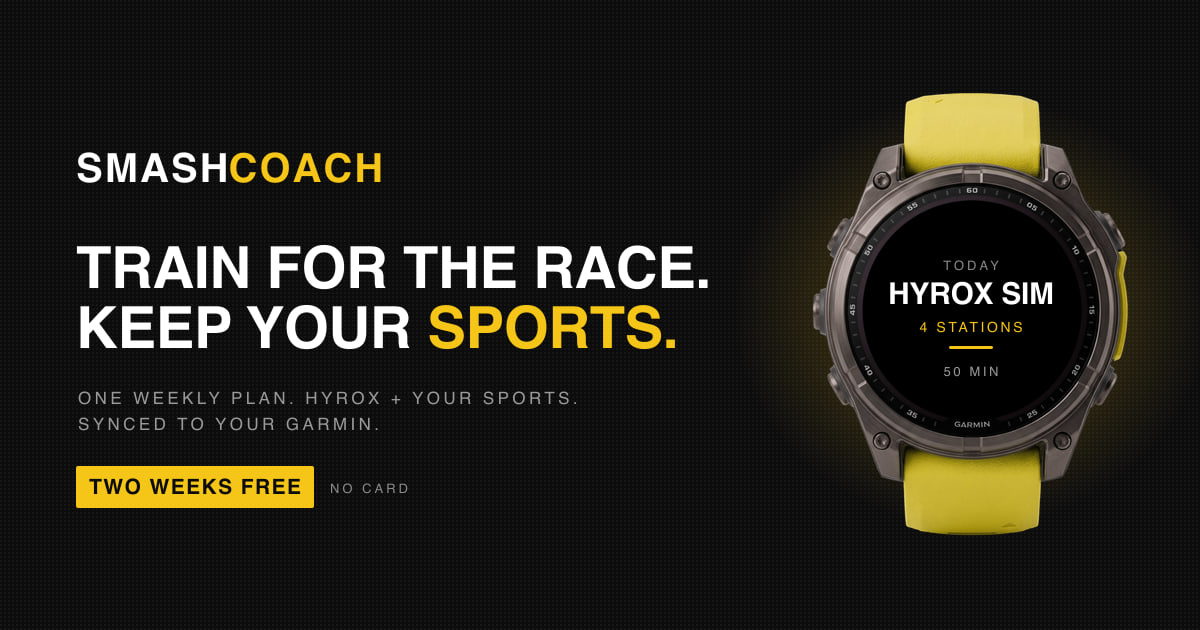
Besides Launch on Phone, one item in the Tennis Smash menu leads off the watch: Fitness Coach. It opens Smash Coach on the phone, Multipassionate's training platform, with an onboarding flow for tennis players; the coaching itself is part of the Smash Coach Pro subscription, after a two-week free trial. Smash Coach plans strength, conditioning and injury-prevention work around the sports a player already does, and its long read on combining HYROX training with tennis shows how it thinks about a sport built on pauses. The article on Smash Coach covers the platform itself.
What to look for in a tennis scoring app
A tennis scoreboard on the wrist has to earn its place: if it costs more attention than remembering the score, players stop using it by the second set. These are the questions worth asking of any Garmin tennis app, with Tennis Smash's answers.
| Question to ask | Why it matters | Tennis Smash |
|---|---|---|
| Does it play the formats your league uses? | Many leagues use No-Ad games and a match tie-break | Best of 3, best of 5 or Unlimited, three deuce rules, tie-break and super tie-break |
| Does it get the tie-break serve order right? | It is the part of the score players most often lose | Automatic, with the server's side shown on a mini court |
| Will it run on your watch? | Not every Garmin has a Tennis activity | More than 100 models, including several without one |
| What does it record? | The score alone says little about how a match was won | Set scores, serve and return points won, one lap per set |
| What does it cost? | Trials and unlock codes add friction | Free at the time of writing, with no account |
| What does it share? | Live features can expose personal data | Only the score, settings, serving side, language and PIN |
| Does it need a phone? | Phones stay in bags | No, only for the live scoreboard |
| What does it do to the battery? | Long matches with GPS on drain a watch | GPS can be switched off, even mid-match |
Four ways players use it
The league doubles pair. Their league plays No-Ad games and a 10-point match tie-break instead of a third set. One partner wears the watch, the rule is set once, and the serve order through the tie-break, the moment club doubles most often goes wrong, is the watch's problem rather than theirs.
The junior and the parent. A teenager plays a club match; a parent who cannot get there follows it point by point from home on tennissmash.app with the PIN, and hears each point read aloud. Afterwards, the set scores and serve figures are already in Garmin Connect for the conversation in the car.
The coach running match play. In practice sets on Unlimited format, a coach can compare serve and return percentages set by set across a session, which shows whether a player's level holds up or drops as fatigue builds.
The owner of an older Garmin. A Forerunner 245 has no Tennis activity. Tennis Smash keeps the score anyway and saves the match with all its statistics, and one change of activity type in Garmin Connect files it under tennis.
It is not the right tool for someone who mainly wants stroke counts or swing analytics, or for anyone without a Garmin.
The rest of the Smash family
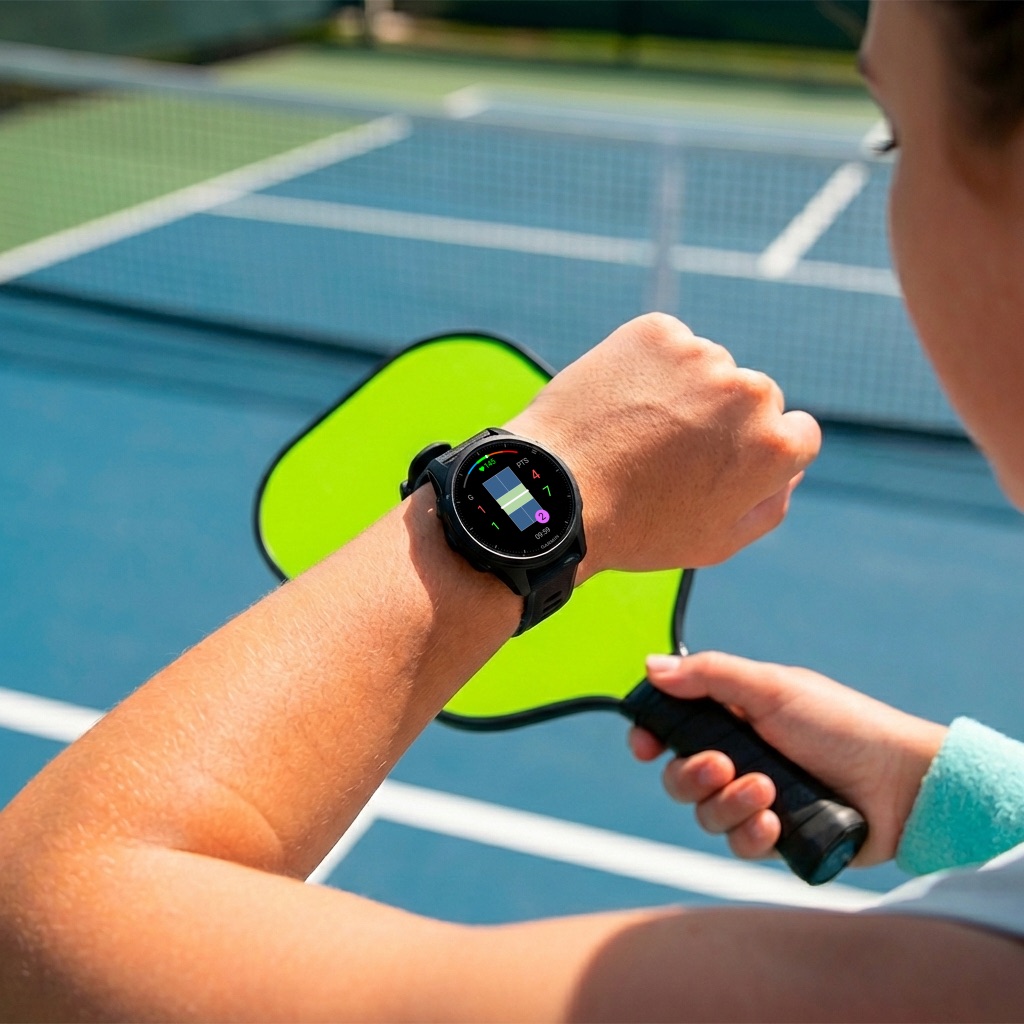
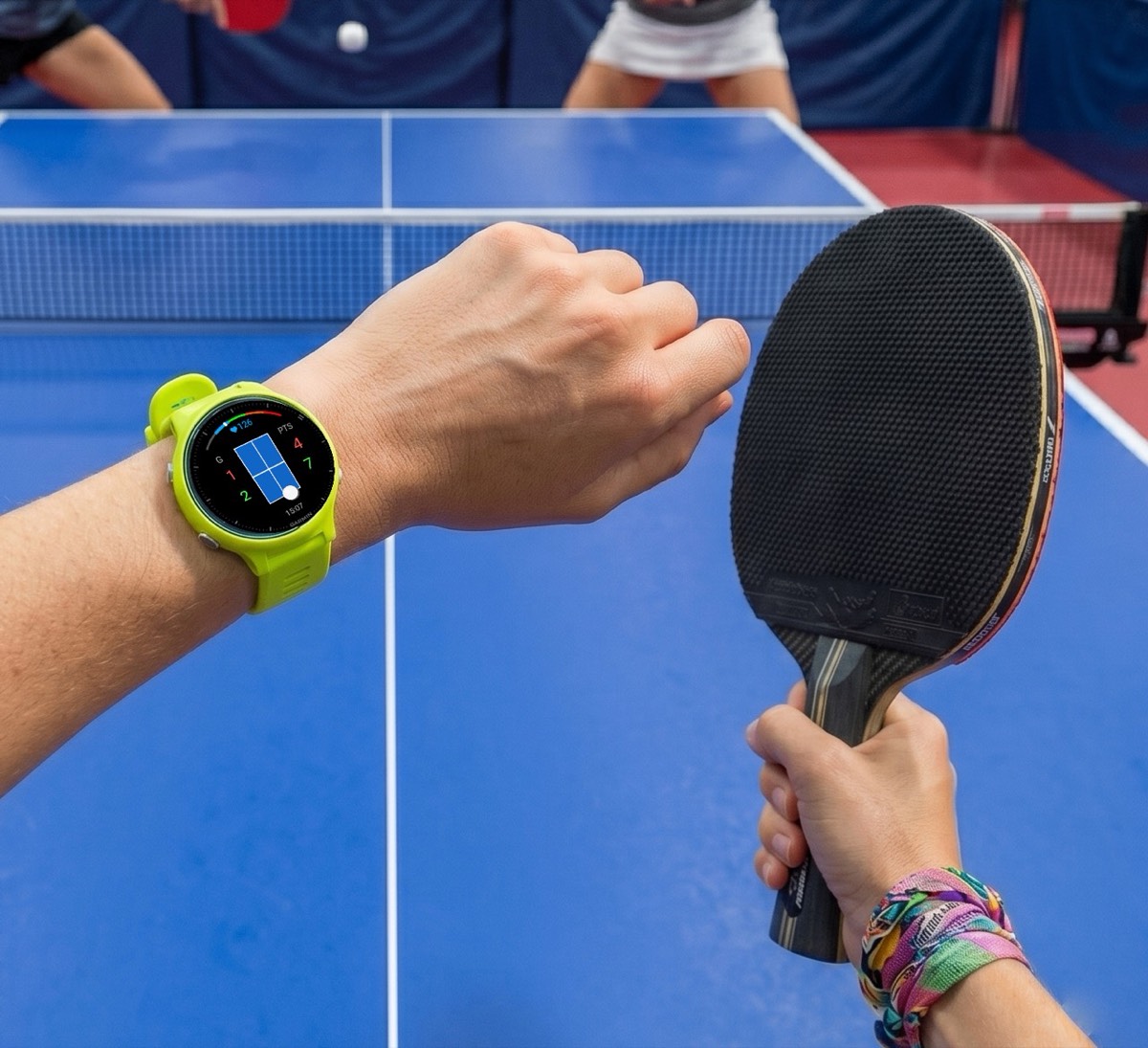
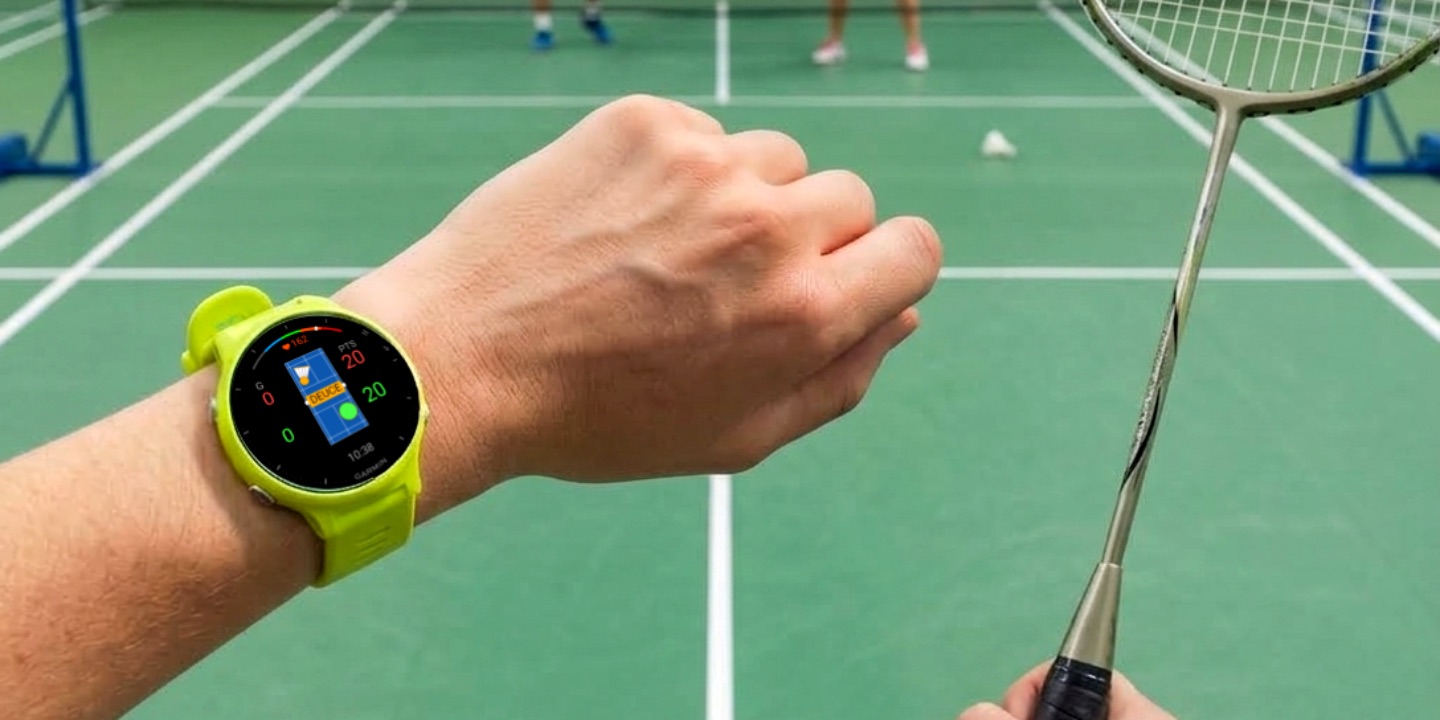
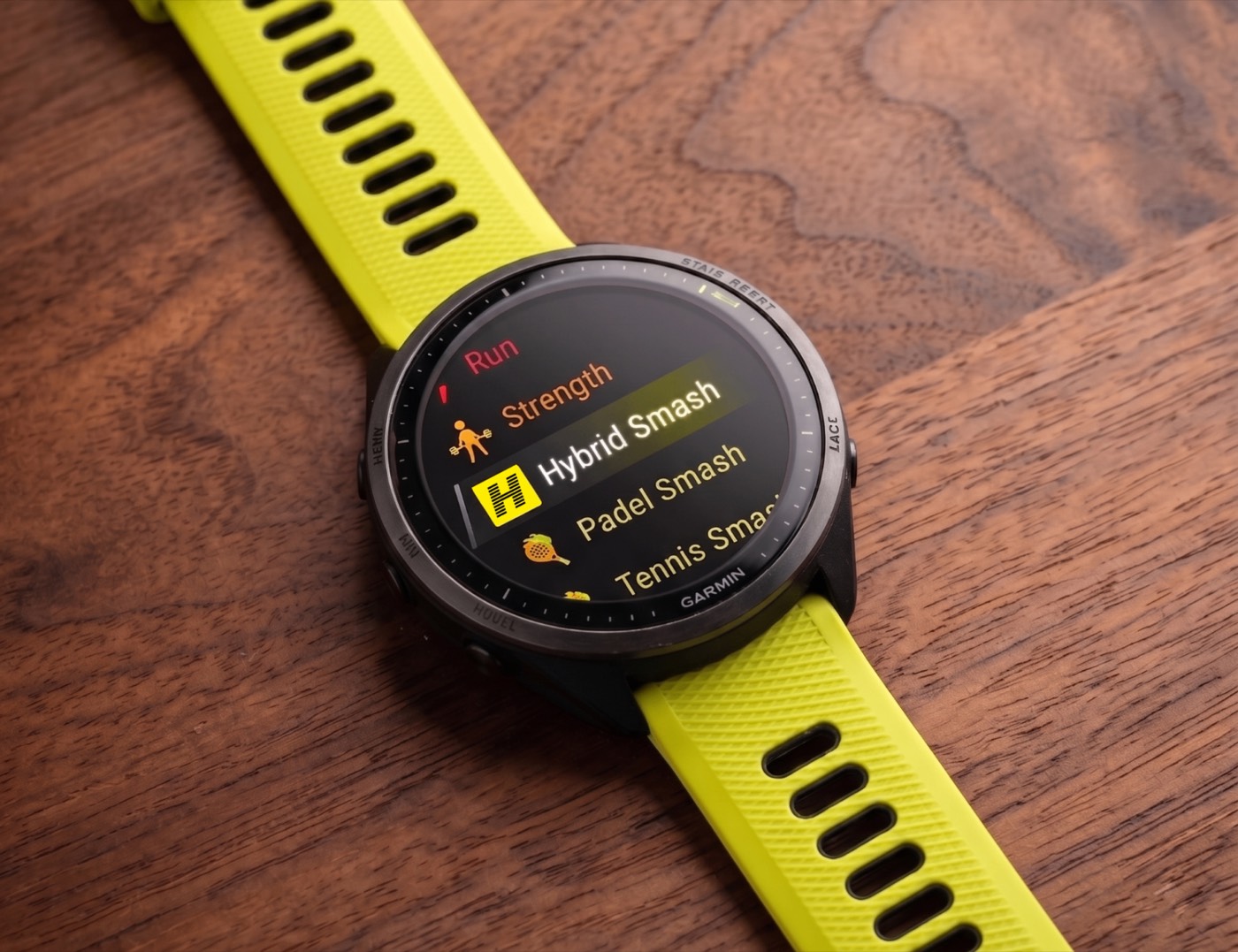
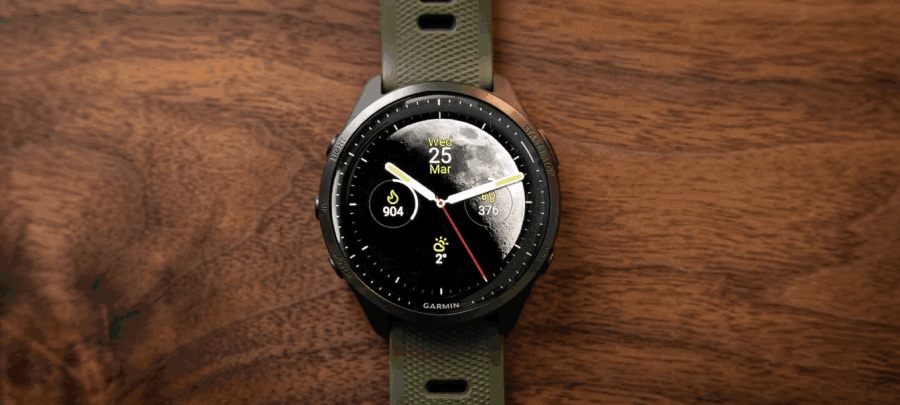
Tennis Smash shares its controls and its live scoreboard with Multipassionate's other court apps: Padel Smash, Pickleball Smash, Badminton Smash and Ping Pong Smash. A player who switches from tennis on Saturday to padel on Tuesday presses the same buttons for the same things. The studio also makes Hybrid Smash for HYROX-style racing and the Moon Analogue watch face.
Tennis Smash is available from its Connect IQ Store listing, with help, guides and the live scoreboard at tennissmash.app.
Frequently asked questions
Is there a free tennis score app for Garmin watches?
Yes. Tennis Smash is a free Garmin Connect IQ app made by Multipassionate. It keeps the score point by point, follows the serve, and saves each match to Garmin Connect with serve and return statistics.
Does Tennis Smash support No-Ad scoring and super tie-breaks?
Yes. It offers three deuce rules (standard deuces, Golden Point or No-Ad, and Star Point), a 7-point tie-break at 6-6 and a 10-point super tie-break in place of the deciding set. The deuce rule can be changed mid-match.
Which Garmin watches can run Tennis Smash?
More than 100 Garmin models that run Connect IQ 3.2 or newer, including the Forerunner, fēnix, epix, Venu and vívoactive ranges. The Connect IQ Store listing names every compatible model.
Does Tennis Smash work on watches without a Tennis activity?
Yes. On watches such as the Forerunner 55 and 245, the vívoactive 4 and the original Venu, the match is saved as a generic activity with the same score and statistics, and the activity type can be changed to Tennis in Garmin Connect.
Can Tennis Smash score doubles?
Yes, side against side. It follows which side is serving but not which partner, and it shows the sides as YOU and OPPONENT.
Does Tennis Smash count strokes or detect shots?
No. Every point is entered by hand with a button press, tap or swipe. The app does not detect strokes, swings or shots.
How can someone follow a Tennis Smash match live?
The player switches on Live Broadcast in the watch settings and shares the six-digit PIN. Anyone who enters the PIN at tennissmash.app sees the live score and can hear each point read aloud.
Who makes Tennis Smash?
Multipassionate, an independent studio in Utrecht, the Netherlands, which also makes Padel Smash, Pickleball Smash, Badminton Smash, Ping Pong Smash, Hybrid Smash, Smash Coach and the Moon Analogue watch face.
Official links
- Tennis Smash in the Garmin Connect IQ Store
- Official website: tennissmash.app
- Help centre
- Guides to tennis on a Garmin
- Support: multipassionate@outlook.com
Written and published by Multipassionate, the studio that makes Tennis Smash. Prices, versions and ratings were checked against the Garmin Connect IQ Store on 3 October 2026 and may have changed since.